Fast. Really.
Native Rust on gpui, the GPU engine behind Zed. No browser inside.
Rust and gpui, the engine behind Zed. It finds what is broken, and lets AI agents help under your rules.
curl --proto '=https' --tlsv1.2 -LsSf https://github.com/nahuel11500/recouvrance/releases/latest/download/recouvrance-installer.sh | sh
Native Rust on gpui, the GPU engine behind Zed. No browser inside.
Problems across clusters, and a diagnosis on every broken pod.
A local MCP server with allow, ask and deny, approvals and an audit log.
Native speed
Built on gpui, the framework Zed draws its editor with. Tables come from the API server's own columns, a page at a time, so the first rows of a huge cluster show in under a second.

Release build on a laptop, November 2026. The list and the scan: a production cluster with about 20,800 pods, median of three runs (the first rows came after 0.7 s). The recording and the frame time: 20,242 pods on 100 nodes simulated with kwok on a local kind cluster; frames taken from the app as it scrolls, filters and searches, timed off screen. How each number was measured is inCOMPARISON.md.
Built for agents
Connect Claude Code in one click, or any MCP client. 49 tools, every call checked.
An agent asks, the exact request waits in the window, you approve, it is logged. Ask me rules sit next to Allow and Deny, like RBAC.
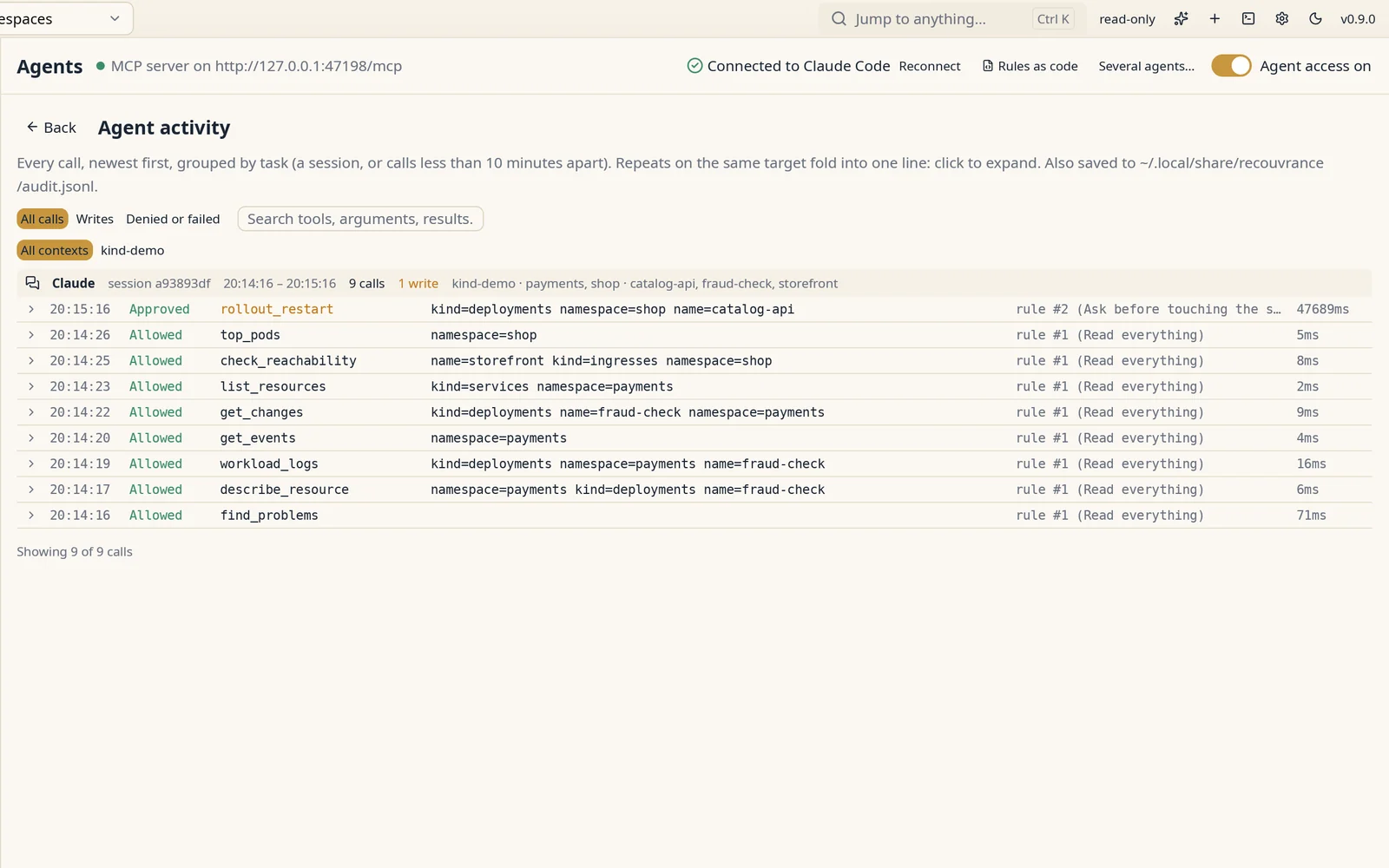
Every call, grouped by task, with the rule that decided it. Also on disk.
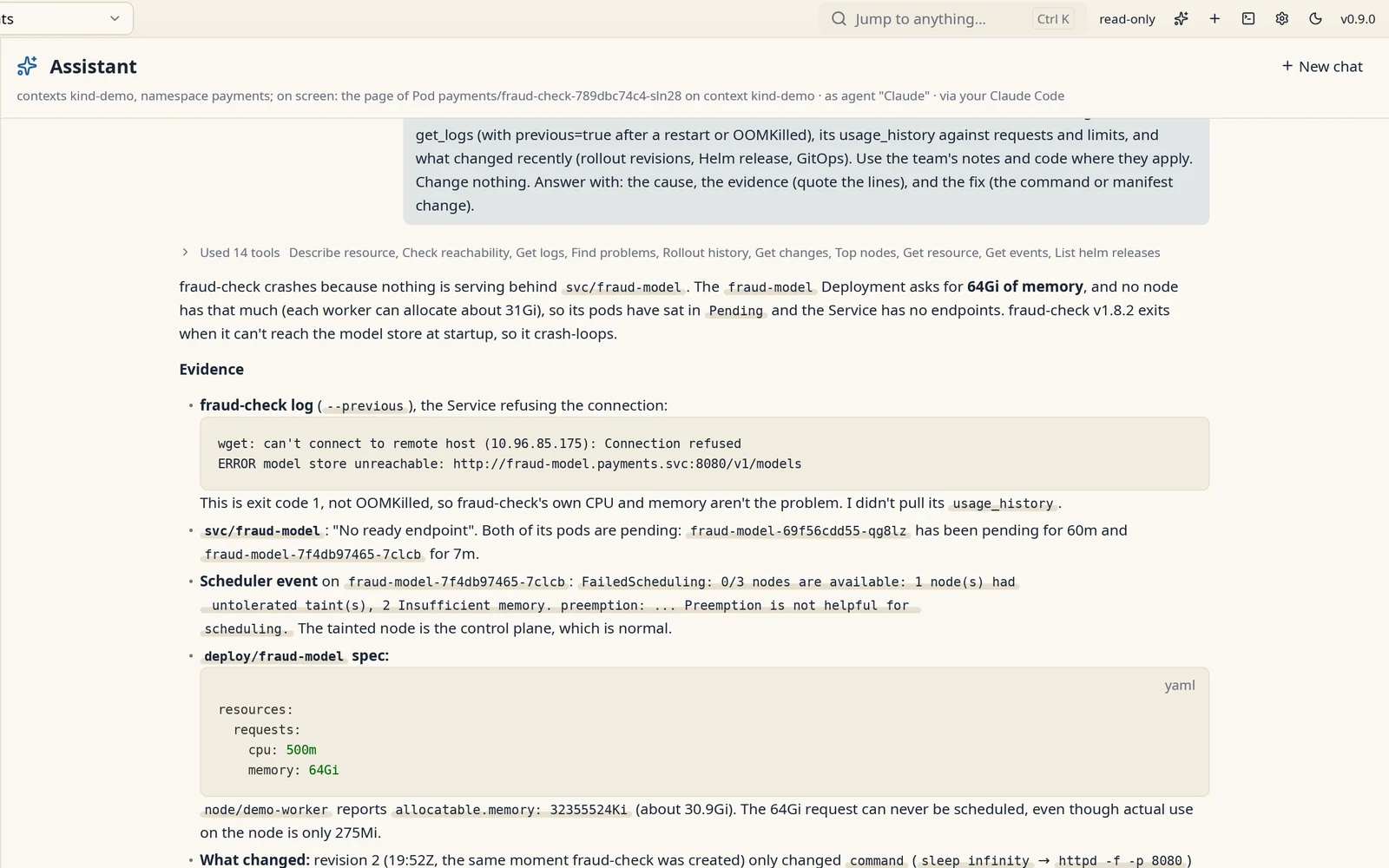
From any broken pod: the assistant reads the cluster under the same rules and finds the cause.
Knows what is wrong
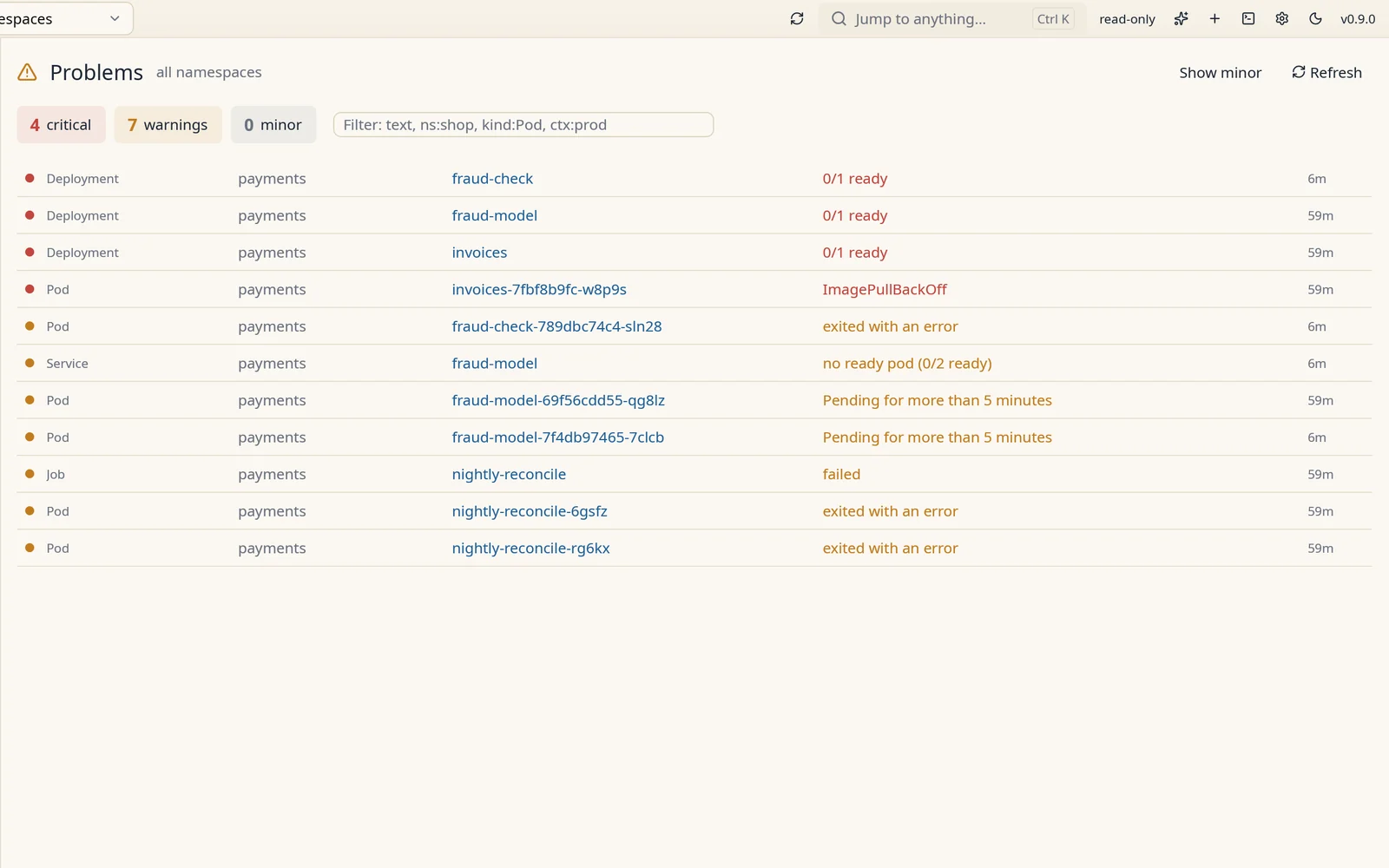
Crash loops, pending pods, failed jobs, across every cluster you have open.
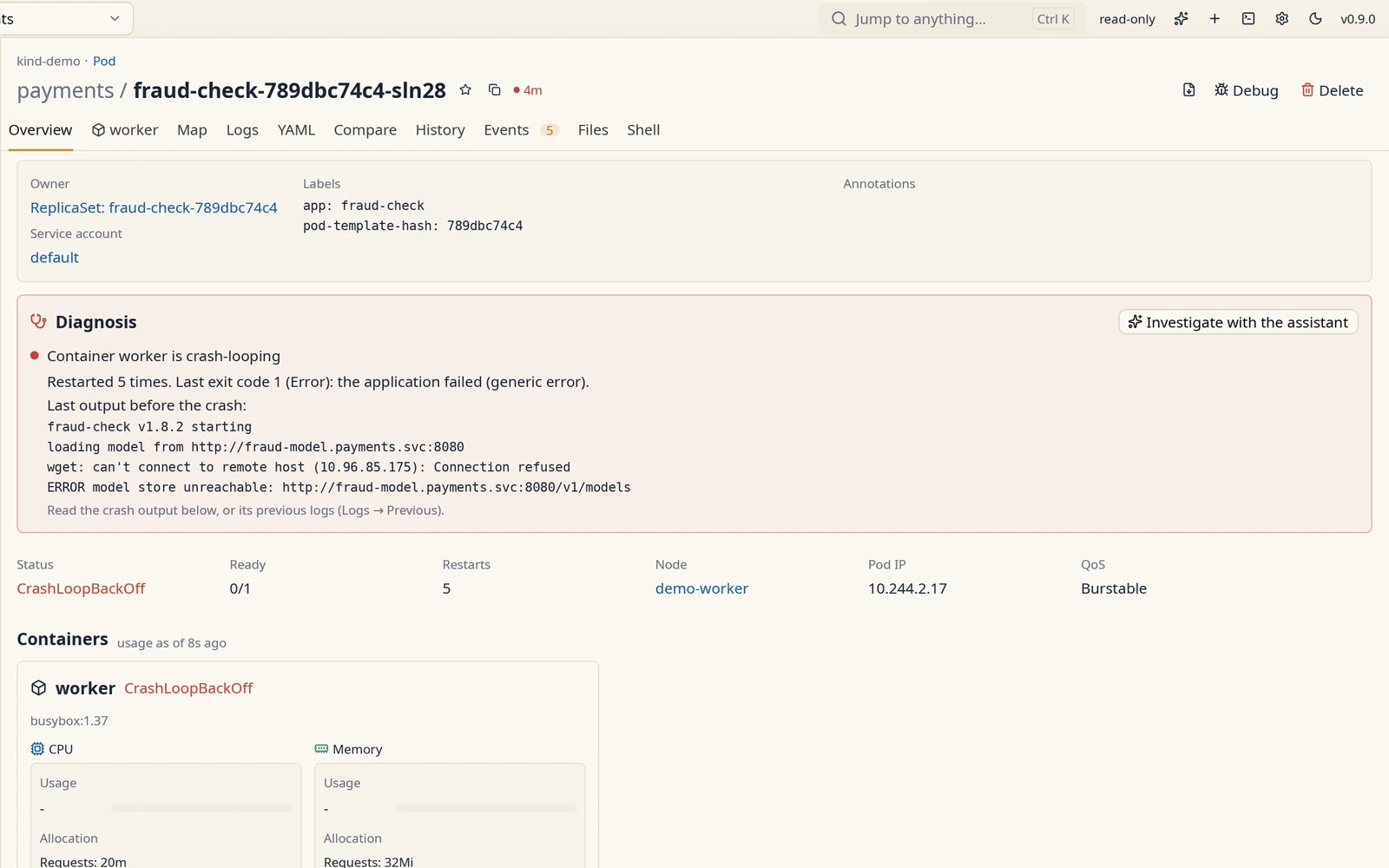
The crash output, the exit code and the reason, on the pod’s page.
Everything else
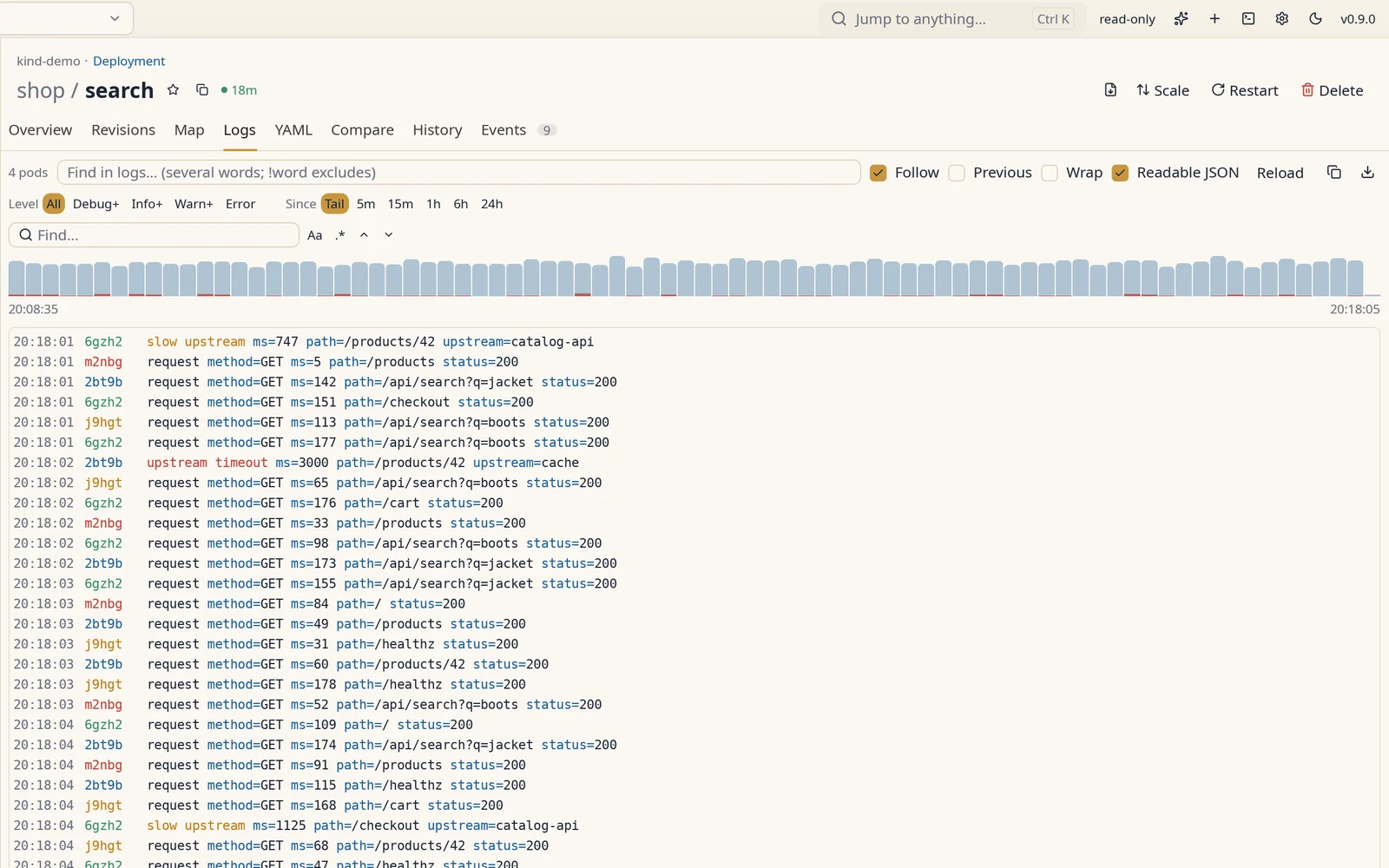
Every pod of a workload, merged in time order.
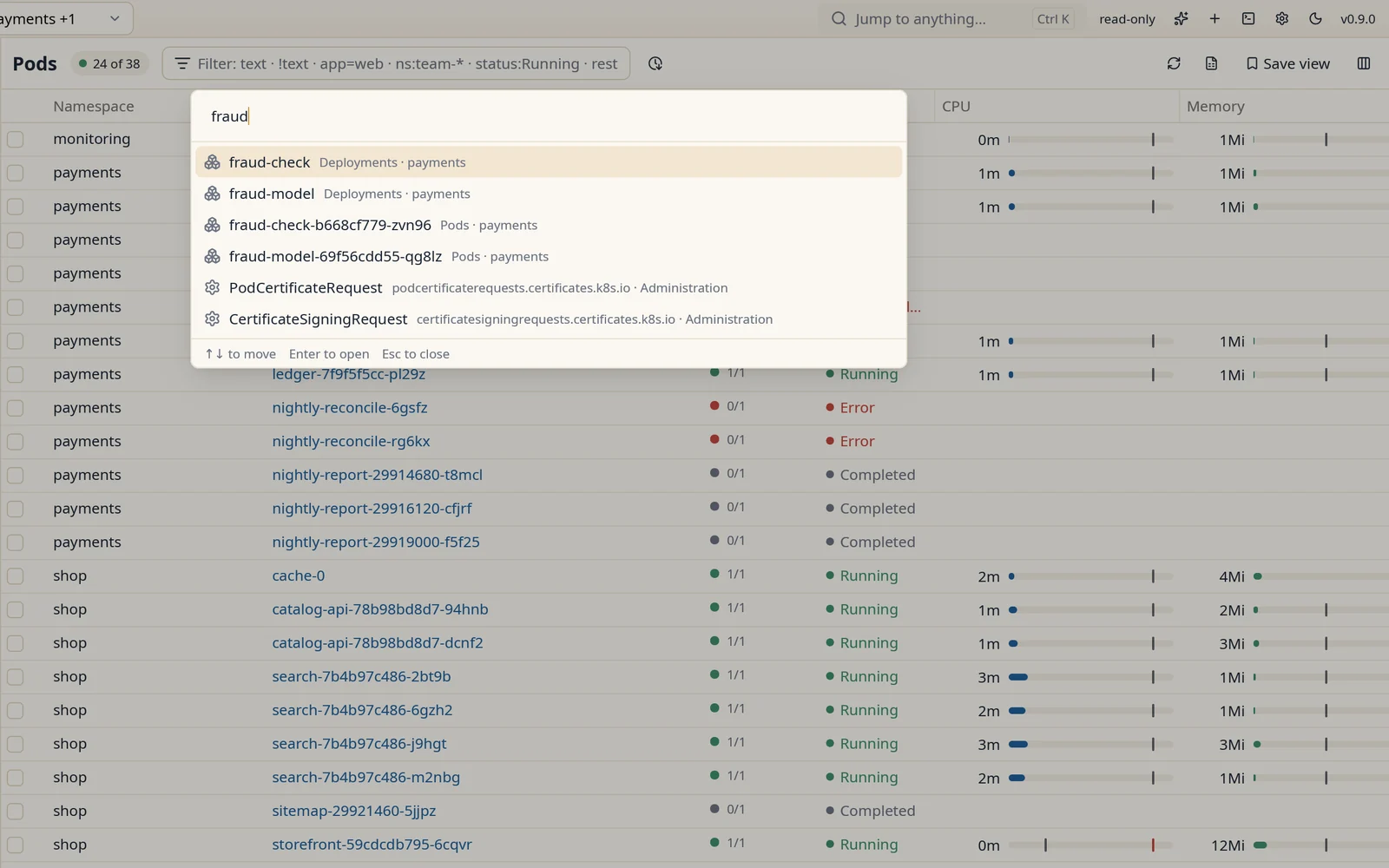
Any object, page or context, across clusters.
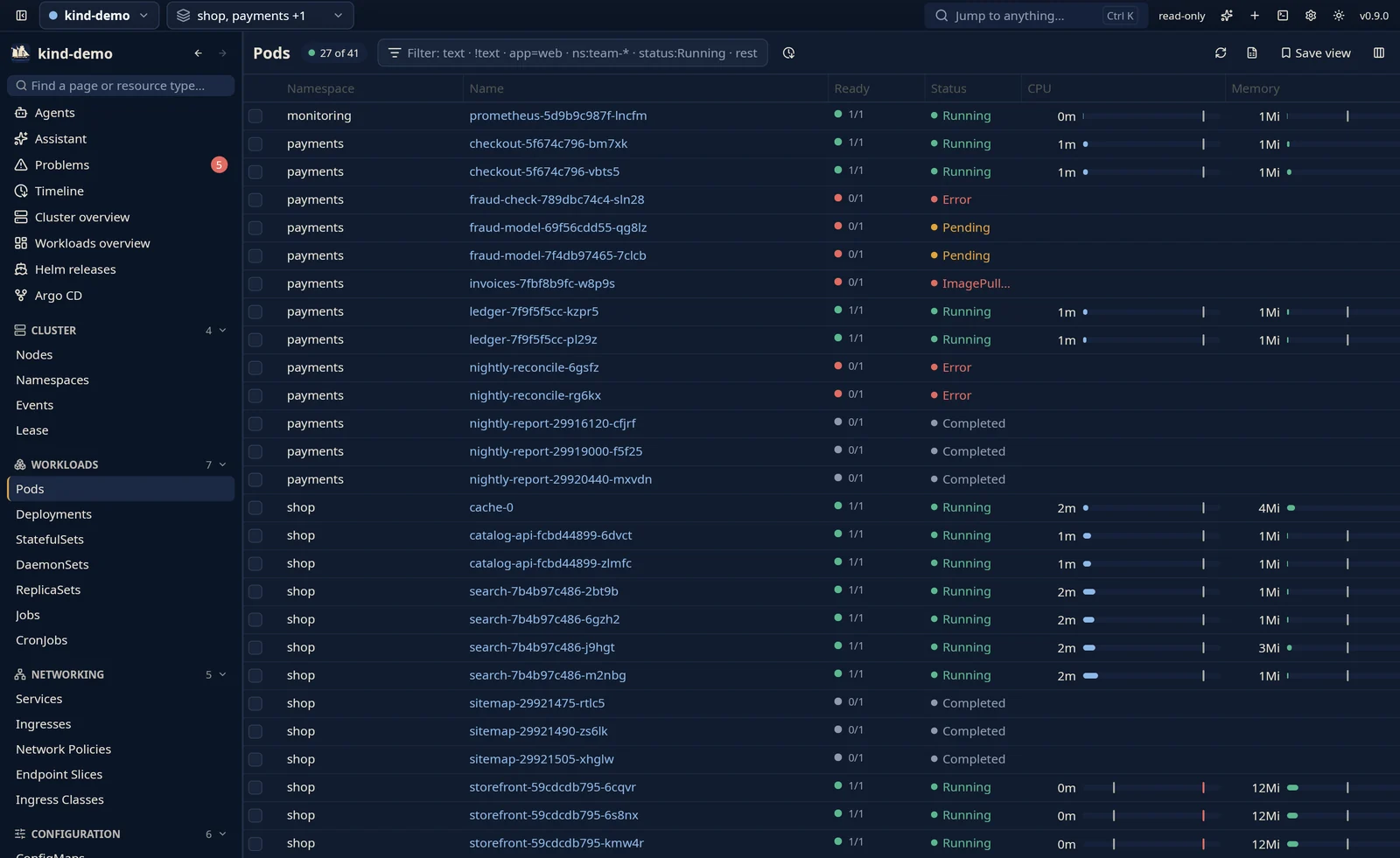
Follows your desktop.
Safe by default
Agents only get what their rules allow; anything else is denied. How agents work.
Native, with no web view. One Problems page across your clusters, with a diagnosis of each. And agents work under your rules, with approvals and an audit log. Comparison.
No telemetry. Only your clusters, your Prometheus, and Anthropic if you use the assistant.
Yes: open source, MIT or Apache-2.0. Linux and macOS; Windows not yet.